join now
newsletters
topics
topics
advertise with us ABA Journal Blawg 100 Award 2009 ABA Journal Blawg 100 Award 2008
Subscribe (RSS Feed)

SmallLaw: The Day After: Top Five Tips for Preventing Unthinkable Disasters From Crippling Your Small Law Firm

By Erik Mazzone | Friday, December 23, 2011

Originally published on August 30, 2011 in our free SmallLaw newsletter. Instead of reading SmallLaw here after the fact, sign up now to receive future issues in realtime.

With Hurricane Irene just recently having rumbled her way through my adopted home state of North Carolina — including making a mess of our beautiful Outer Banks and eastern regions — disaster preparedness (or business continuity to use a popular euphemism) is on my mind. Watching Irene's progression up the east coast and the trouble she wrought en route, I imagine it must be on some of your minds too.

When we talk about technology, we often engage in a facile and glib debate over operating systems, Angry Birds, and coolness. God knows, I'm a card-carrying member of that club — new and cool is my red meat as regular readers of my SmallLaw columns well know.

But in deference to all the law firms who are digging out from Irene, I want to use this issue of SmallLaw to address how to get your firm as ready as possible for the next Irene Mother Nature throws your way. Below you'll find my top five tips.

1. Go Paperless

The discussion over going paperless in a small law firm often centers on efficiency, collaboration, ethics and mobility, all of which are important facets of the decision.

However, it's not until you wake up one day, however, and your entire office suite is under six feet of water and your paper files have turned to pulp that paperless' importance as a disaster preparedness measure become clear.

Sure, you may only need offsite digital copies of everything once in a career — but the day you need it, you really need it. Offsite backup is a good start, but if only 25% of your key data is digital, you are still sunk when the high waters arrive.

2. Sever Your Servers With Hosted Communications

Floods and natural disasters are good reasons to consider embracing hosted communications — meaning both your email and your phone system. If your communication hubs run out of server boxes in your office and they're under water, they're useless. Sure, some backup strategies can help mitigate this porblem, but if I were running a small firm today, I'd get rid of all my servers — applications, email, documents, telephone — the whole shebang. With Hosted Exchange, Google Apps, and VoIP phone systems, it has never been easier.

3. Centralized Document and Practice Management

According to the ABA's 2011 Legal Technology Survey, the adoption rate of document and practice management software in small law offices remains dismal.

Anecdotally, in my work, I find that law firms regard this software as somewhere between an unnecessary expense and a "nice to have." Much like the decision to go paperless and host your communications, if you imagine having to run your firm the day after a disaster (with all of your employees working remotely from their homes), the decision to centralize document and practice management is not a luxury, but a necessity.

Frequency of need is not the same as degree. You only need an emergency room once in a while, too, but if you didn't have one nearby the day you needed it, you'd be in big trouble.

4. Laptops Over Desktops Plus Smartphones and iPads

I frequently talk with lawyers who debate whether to buy their staff laptop or desktop computers, citing that desktops are cheaper and more powerful. A disaster should convince you that mobility trumps the marginal cost savings and power of desktops.

Laptops have another advantage. When the power goes out, they continue running for a few hours. But even laptops have their limits. Smartphones (and 3G iPads) tend to have a much longer battery life, and can access the Internet via your carrier. Some smartphones can even serve as a mobile hotspot. Law firms have issued smartphones to their lawyers for many years. Some have begun to issue iPads as well.

5. Home Office Essentials

For your lawyers and staff to be productive working from home while your office is underwater, in addition to a laptop they will need an internet connection robust enough to run their VoIP phones, a headset with a microphone, a printer, and a scanner.

Whether you provide this equipment for your staff or require that they provide it for themselves is a matter of your compensation and training systems. Either way, if you want your staff to work rather than just watch Sports Center until your office reopens, they will need the tools to perform their work.

Conclusion

I hope you and your firm survived Hurricane Irene with nary a puddle. But I also hope this article prompts you to prepare for the unthinkable.

Written by Erik Mazzone of Law Practice Matters.

How to Receive SmallLaw
Small firm, big dreams. Published first via email newsletter and later here on our blog, SmallLaw provides you with a mix of practical advice that you can use today, and insight about what it will take for small law firms like yours to thrive in the future. The SmallLaw newsletter is free so don't miss the next issue. Please subscribe now.

Topics: Copiers/Scanners/Printers | Desktop PCs/Servers | Document Management | Email/Messaging/Telephony | Laptops/Smartphones/Tablets | Law Office Management | Online/Cloud | Practice Management/Calendars | SmallLaw

The TL NewsWire Top 15 (or Maybe 20) Products of 2011

By Neil Squillante | Monday, December 19, 2011

This special edition of TL NewsWire was originally published on December 15, 2011.

In 2011, we reported on 212 new products in TL NewsWire — far more products than any other legal publisher to my knowledge (TL NewsWire is one of nine TechnoLawyer publications).

For each product we cover, we track the number of clicks. Not for nefarious reasons mind you. We track clicks in the aggregate so that we can see which products you and your fellow subscribers find most and least interesting to help guide our future coverage. We also track clicks so that we can engage in one of publishing's most enduring cliches — the annual top 10 list.

Wait. Did I say top 10? Silly me. At TechnoLawyer, we always give you more for your money (even though TL NewsWire is free). Below you'll find the TL NewsWire Top 15 Products of 2011.

1. TrialPad

In the year of the iPad, it seems fitting that an iPad app tops the list. TrialPad replaces an ELMO for displaying documents. Lit Software recently released version 2, which contains more advanced trial presentation features. Will TrialPad disrupt incumbents Sanction and TrialDirector? Only time will tell, but Lit Software appears to be the leader among companies developing legal-specific iPad apps.

2. Workshare PDF Professional

You have to give Workshare a lot of credit for its insane pace of software development. It's the Adobe Systems of the legal industry. Speaking of which, Workshare PDF Professional takes aim at Adobe's Acrobat with a low price of $79.

3. Canon imageFORMULA DR-C125 Scanner

As someone who appreciates elegant design and feels there's too little of it in our industry, the imageFORMULA DR-C125 captured my attention because of its space-saving upright design and U-turn paper path. Apparently, many of you agreed by ranking it third.

4. LexisNexis Firm Manager

SmallLaw columnist emeritus Mazy Hedayat (Crazy Mazy) is a tough lawyer to please. So imagine our surprise when he praised Firm Manager, LexisNexis' cloud practice management system. Thanks in part to Firm Manager, 2011 marked the turning point for cloud applications in the legal industry.

5. Workshare Point

Document management remains the most popular topic among TechnoLawyer members, but I didn't realize how many of you have an interest in Microsoft SharePoint until we covered Workshare Point, which transforms SharePoint into a legal-specific document management system. Kudos to Workshare for having two products in the top five.

6. MyCase V2.0

The second cloud practice management system on the list, MyCase uses Facebook-like technologies for interacting with your clients, including billing, communications, and document sharing. Perhaps the more apt comparison is Salesforce.com's Chatter.

7. Smartsheet

Another hot area — project management, especially for law firms charging flat fees or under pressure from clients not to exceed engagement letter estimates. Traditionally, you practically needed the equivalent of a medical residency to use project management software. Smartsheet is a cloud application that attempts to simplify this once obscure (for law firms) discipline.

8. Kodak SCANMATE I920 Scanner

Too little too late for this troubled American icon? Well, many of you found Kodak's entry into the sheetfed scanner market of interest. Like Canon's scanners, the SCANMATE i920 supports supports TWAIN and ISIS applications.

9. Nylon Sleeve With Handles

Easily the biggest surprise on the list. Why? Because it's the only product among the top 15 that we covered in a roundup article as opposed to a feature article (roundup articles appear below the feature article in each issue of TL NewsWire so they're not as prominently, um, featured). Incidentally, I have two of these sleeves — one for my iPad 2 and one for my MacBook Air. It was my search for a sleeve with handles that led to our coverage of this product.

10. RogueTime Version 1.1

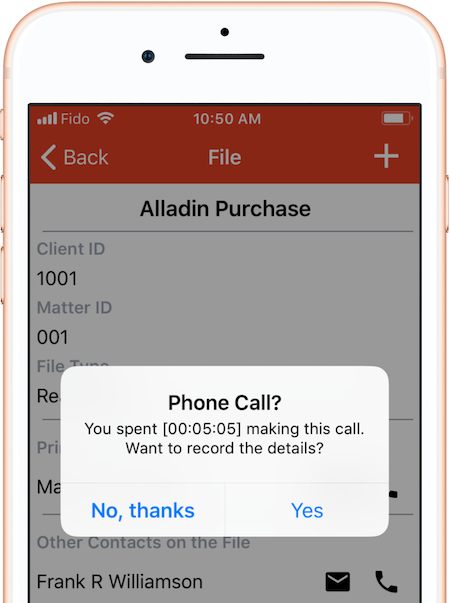
RogueTime ties into your iPhone's Phone app so that you can convert phone calls into time entries (iPhones capture the time of each call). Apps like RogueTime could persuade lawyers to use their iPhone as their only phone.

11. KnowledgeTree

KnowledgeTree is a cloud document management system. In our coverage, we focused on the new KnowledgeTree ExplorerCP, a desktop application that connects to the mothership.

12. Doxie Go

I think we covered this portable scanner before any other legal publisher. Its cable-free and PC-free design seems liberating. Doxie Go will soon have some competition. We received a pre-release demo this week, but I can't tell you about it yet. Stay tuned to TL NewsWire.

13. Sohodox

Cloud skeptics at small law firms rejoice — a document management system for 1-20 users that runs on your own damn hardware.

14. NetDocuments R1-2011

Yes folks, another document management system. And none other than the undisputed champion of cloud document management systems. NetDocuments redesigned its user interface this year.

15. ClearContext Professional 5

This Outlook add-on learns your habits so that it can start taking care of tasks for you. It can even make email messages disappear for a specified period of time so that you can fool yourself into thinking you've achieved zero inbox.

You Want More?

So there you go. The top 15. What's that? You want a top 20? Okay, okay. I won't write about them, but numbers 16-20 were (drumroll please):

16. AdvologixPM

17. ActionStep

18. Pathagoras 2011

19. Credenza Pro

20. Chrometa

How to Receive TL NewsWire
So many products, so little time. In each issue of TL NewsWire, you'll learn about five new products for the legal profession. Pressed for time? The newsletter's innovative articles enable lawyers and law office administrators to quickly understand the function of a product, and zero in on its most important features. The TL NewsWire newsletter is free so don't miss the next issue. Please subscribe now.


Topics: Accounting/Billing/Time Capture | Business Productivity/Word Processing | Collaboration/Knowledge Management | Copiers/Scanners/Printers | Document Management | Email/Messaging/Telephony | Gadgets/Shredders/Office Gear | Laptops/Smartphones/Tablets | Online/Cloud | Practice Management/Calendars | TL NewsWire

Verizon Droid Pro Review; Practice Management v. CRM; Necessary Email Disclaimers; Multiple Monitors; Best Mobile OS for Litigators; Much More

By Kathryn Hughes | Thursday, November 17, 2011

Today's issue of TL Answers contains these articles:

Stephen Cohen, Review: Verizon Droid Pro

Caren Schwartz, Practice Management Versus CRM Software

Jeff Lisson, Why Some Lawyers Need To Use An Email Disclaimer

Nicholas Bettinger, Tips On Using Multiple Monitors

Don't miss this issue — or any future issues.

How to Receive TL Answers
Do you believe in the wisdom of crowds? In TL Answers, TechnoLawyer members answer legal technology and practice management questions submitted by their peers. This newsletter's popularity stems from the relevance of the questions and answers to virtually everyone in the legal profession. The TL Answers newsletter is free so don't miss the next issue. Please subscribe now.

Topics: Coming Attractions | Email/Messaging/Telephony | Laptops/Smartphones/Tablets | Law Office Management | Monitors | Practice Management/Calendars | Privacy/Security | TL Answers | Utilities

Email Disclaimers; Needles Review; Three Versus Two Monitors

By Kathryn Hughes | Friday, November 4, 2011

Today's issue of TL Answers contains these articles:

Fred Kruck, My Advice Regarding Email Disclaimers For Lawyers

Augustus Brown, Review: Needles For Practice Management

David Service, The Basics Of Multiple Monitors Plus The Case For 3 Versus 2

Don't miss this issue — or any future issues.

How to Receive TL Answers
Do you believe in the wisdom of crowds? In TL Answers, TechnoLawyer members answer legal technology and practice management questions submitted by their peers. This newsletter's popularity stems from the relevance of the questions and answers to virtually everyone in the legal profession. The TL Answers newsletter is free so don't miss the next issue. Please subscribe now.

Topics: Coming Attractions | Email/Messaging/Telephony | Law Office Management | Monitors | Practice Management/Calendars | Privacy/Security | TL Answers

Credenza Pro: Read Our Exclusive Report

By Neil Squillante | Wednesday, October 26, 2011

Today's issue of TL NewsWire covers a billing and practice management system (see article below), a remote access gadget, a pen that records what you write, an Android and iOS PDF app, and an intelligent Internet-connected thermostat. Don't miss the next issue.

Outlook as a Billing and Practice Management System

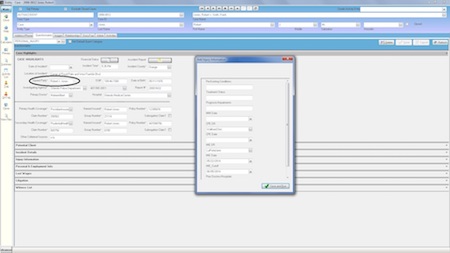
You could build the world's tallest skyscraper on a farm in Montana, but it would not attract as much attention as if you built it in a large city. Location matters not only in real estate but software too. If Microsoft Outlook were a plot of land, can you imagine its value? And what if you built a legal billing and practice management system on top of it that connected everyone in your firm? You'd have a tool that everyone in your firm would use since everyone already uses Outlook. Guess what? We're not talking architectural blueprints here. This product already exists.

Credenza Pro … in One Sentence
Credenza Software's Credenza Pro is a multiuser billing and practice management system that runs within Microsoft Outlook.

The Killer Feature
Because Credenza Pro resides in Outlook, once you create or approve a bill you can email it to a client immediately and share that message with other colleagues. The email integration goes even further. For example, you can batch send invoices and reminders for overdue invoices, again without having to go through some sort of export procedure since you're right in Outlook.

Before you get to the point of sending a bill, you'll find a number of legal-specific billing features. Credenza Pro enables you to track your time and expenses, review work in progress, and manage retainer and trust accounts. An assistant or bookkeeper can even enter time for the lawyers in your firm.

"The beauty of Credenza Pro's integrated billing and practice management capabilities is that it's all done from Outlook," Credenza Software President Ron Collins told us. "Since Outlook is so widely used, its transformation into a billing tool is a valuable asset for law firms that require a cost-effective integrated solution."

Other Notable Features
Credenza Pro works in any size law firm. Each user can choose which information to keep private and which information to share and with whom. For shared client files, Credenza Pro displays to those granted access activity, appointments, bills, contacts, documents, email, events, tasks, and all other associated information.

Unlike most practice management systems in which you must choose between traditional software or the cloud, Credenza Pro uses a hybrid approach. It runs fast because the software is local, but your data is securely synced via a SQL database hosted on Microsoft's Windows Azure cloud platform. If you don't have Internet access such as on a flight, you can still use Credenza Pro. Any changes you make will be synced and then shared with your colleagues when you again connect to the Internet.

Other features include document management, full-text searching, notes and task management, and telephone messages.

What Else Should You Know?
Credenza Pro costs $24.95 per user per month. The company also offers for free Credenza Basic, which lacks the billing and Teams features. Both versions work with Outlook 2003 and later. Learn more about Credenza Pro.

How to Receive TL NewsWire
So many products, so little time. In each issue of TL NewsWire, you'll learn about five new products for the legal profession. Pressed for time? The newsletter's innovative articles enable lawyers and law office administrators to quickly understand the function of a product, and zero in on its most important features. The TL NewsWire newsletter is free so don't miss the next issue. Please subscribe now.

Topics: Accounting/Billing/Time Capture | Email/Messaging/Telephony | Practice Management/Calendars | TL NewsWire

Review of AdvologixPM

By Kathryn Hughes | Tuesday, October 11, 2011

Coming today to TechnoFeature: "The future's so bright I gotta wear shades" sang a long forgotten one-hit-wonder. If the future of your law firm seems bright, make sure you wear shades and not blinders. A practice management system can help you avoid blind spots such as delinquent clients and underperforming lawyers. In this issue of TechnoFeature, Connecticut software consultant Caren Schwartz reviews AdvologixPM, a cloud-based practice management system that runs on Salesforce.com's platform as a service. Huh? Basically, it means that AdvologixPM and your data resides on servers managed by a large public company. You use AdvologixPM in your web browser. Freed from having to manage its own data center, Advologix can focus entirely on creating legal-specific features. That's the theory at least. How well does AdvologixPM work in practice? Read Caren's comprehensive review to find out.

How to Receive TechnoFeature
Our flagship newsletter never disappoints thanks to its in-depth reporting by leading legal technology and practice management experts, many of whom have become "household names" in the legal profession. As a result, TechnoFeature offers some of the most profound thoughts on law practice, and helpful advice about legal-specific products. The TechnoFeature newsletter is free so don't miss the next issue. Please subscribe now.

Topics: Accounting/Billing/Time Capture | Coming Attractions | Online/Cloud | Practice Management/Calendars | TechnoFeature

A Reality Check on Cloud Practice Management; Beginner's Guide to Multiple Monitors; Reviews of SpeakWrite, ScanSnap S1500

By Kathryn Hughes | Thursday, September 29, 2011

Today's issue of TL Answers contains these articles:

Jeff Stouse, How To Tell If Your Firm Is Ready For Cloud Practice Management

Chanler Sparler, A Beginner's Guide To Two Monitors

Neal Frishberg, Review: SpeakWrite For Dictation Transcription; Dictamus

Mitchell Goldstein, Review: Fujitsu ScanSnap S1500

Don't miss this issue — or any future issues.

How to Receive TL Answers
Do you believe in the wisdom of crowds? In TL Answers, TechnoLawyer members answer legal technology and practice management questions submitted by their peers. This newsletter's popularity stems from the relevance of the questions and answers to virtually everyone in the legal profession. The TL Answers newsletter is free so don't miss the next issue. Please subscribe now.

Topics: Coming Attractions | Copiers/Scanners/Printers | Dictation/OCR/Speech Recognition | Gadgets/Shredders/Office Gear | Monitors | Online/Cloud | Practice Management/Calendars | TL Answers

Run Three Monitors With Two Ports; Getting Things Done in Outlook; GPS Maps Update Tip; Word 2010; Needles

By Kathryn Hughes | Thursday, September 22, 2011

Today's issue of TL Answers contains these articles:

Jerry Gonzalez, How To Run Three Monitors With Two Video Ports

Ron Fox, Review: Getting Things Done Add-On For Outlook

Edwin Bideau, Tip: Why You Should Not Update The Maps On Your GPS PND

Tom Trottier, Microsoft Word 2010: The Case Against Upgrading

David Grabill, Is Needles A Good Fit For A Solo And Two Assistants?

Don't miss this issue — or any future issues.

How to Receive TL Answers
Do you believe in the wisdom of crowds? In TL Answers, TechnoLawyer members answer legal technology and practice management questions submitted by their peers. This newsletter's popularity stems from the relevance of the questions and answers to virtually everyone in the legal profession. The TL Answers newsletter is free so don't miss the next issue. Please subscribe now.

Topics: Business Productivity/Word Processing | Coming Attractions | Gadgets/Shredders/Office Gear | Monitors | Practice Management/Calendars | TL Answers

Bomb-Proof Law Firm Security; Multiple Monitor Tips; Fax Number Porting Woes; Reviews of Dragon and Pathagoras

By Kathryn Hughes | Thursday, September 15, 2011

Today's issue of TL Answers contains these articles:

Philip Franckel, How Much Security Is Sufficient For A Firm?

Alvin Lim, Why I Use Multiple Monitors

Joel Kennedy, Review: Dragon NaturallySpeaking 10 (Bad Typists Unite)

Caren Schwartz, Fax Number Porting: Not That Clear Cut

Andrew Gale, Review: Pathagoras

Don't miss this issue — or any future issues.

How to Receive TL Answers
Do you believe in the wisdom of crowds? In TL Answers, TechnoLawyer members answer legal technology and practice management questions submitted by their peers. This newsletter's popularity stems from the relevance of the questions and answers to virtually everyone in the legal profession. The TL Answers newsletter is free so don't miss the next issue. Please subscribe now.

Topics: Automation/Document Assembly/Macros | Coming Attractions | Copiers/Scanners/Printers | Dictation/OCR/Speech Recognition | Email/Messaging/Telephony | Gadgets/Shredders/Office Gear | Law Firm Marketing/Publications/Web Sites | Monitors | Practice Management/Calendars | Privacy/Security | TL Answers

Reviews of Daylite, Billings Pro, Broadband2Go, Pathagoras

By Kathryn Hughes | Friday, September 9, 2011

Today's issue of Answers to Questions contains these articles:

Harry Steinmetz, Review: Daylite And Billings Pro On A Network

Yvonne Renfrew, Review: Broadband2Go

Michael Caccavo, Review: Pathagoras

Don't miss this issue — or any future issues.

How to Receive Answers to Questions
Do you believe in the wisdom of crowds? In Answers to Questions, TechnoLawyer members answer legal technology and practice management questions submitted by their peers. This newsletter's popularity stems from the relevance of the questions and answers to virtually everyone in the legal profession. The Answers to Questions newsletter is free so don't miss the next issue. Please subscribe now.

Topics: Accounting/Billing/Time Capture | Automation/Document Assembly/Macros | Coming Attractions | Gadgets/Shredders/Office Gear | Online/Cloud | Practice Management/Calendars | TL Answers
 
home my technolawyer search archives place classified blog login