join now
newsletters
topics
topics
advertise with us ABA Journal Blawg 100 Award 2009 ABA Journal Blawg 100 Award 2008
Subscribe (RSS Feed)

TL Research Reports Plus TechnoLawyer Library Sweepstakes

By Neil J. Squillante | Wednesday, April 17, 2013

TechnoLawyer Library houses our growing collection of free TL Research reports and other helpful resources. Below you'll find links to selected reports and to our TechnoLawyer Library Sweepstakes, which takes just a few seconds to enter.

TL Research Buyer's Guide to Legal Billing Software

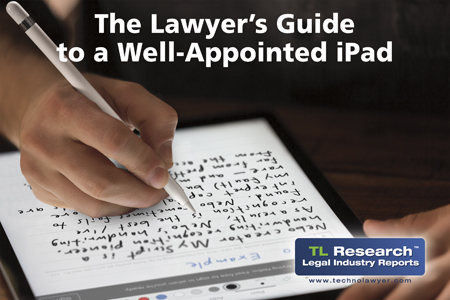
TL Research Guide to the iPad mini as a Serious Productivity Tool (Second Edition)

Can Microsoft Win the Legal Industry's Mobile Race?

TL Research Buyer's Guide to Outlook Add-Ons for Law Firms

TL Research Buyer's Guide to Document Management Systems for Law Firms (Second Edition)

The Most Reliable Legal Technology Study Ever

After visiting the TechnoLawyer Library to download these and other free reports, take a few seconds to enter our bimonthly TechnoLawyer Library Sweepstakes. There's no limit on how many times you can win.

Topics: Document Management | Email/Messaging/Telephony | Laptops/Smartphones/Tablets | Practice Management/Calendars | TechnoLawyer | TechnoLawyer Library | TL Research

Better Than Two Monitors; Reviews of MailChimp, Acrobat Pro; Dragon Tips

By Kathryn Hughes | Thursday, May 23, 2013

Today's issue of TL Answers contains these articles:

Ted Palmer, Better and Bigger Than Two Monitors

Stephen Rudman, Review: MailChimp

Todd Hendrickson, Review: Acrobat Pro for Bates Stamps and Redaction

Roy Greenberg, Tips for Using Dragon NaturallySpeaking

Don't miss this issue — or any future issues.

How to Receive TL Answers
Do you believe in the wisdom of crowds? In TL Answers, TechnoLawyer members answer legal technology and practice management questions submitted by their peers. This newsletter's popularity stems from the relevance of the questions and answers to virtually everyone in the legal profession. The TL Answers newsletter is free so don't miss the next issue. Please subscribe now.

Topics: Business Productivity/Word Processing | Coming Attractions | Dictation/OCR/Speech Recognition | Law Firm Marketing/Publications/Web Sites | Litigation/Discovery/Trials | Monitors | TL Answers

Review of Ambir's ImageScan Pro 820i Desktop Scanner Plus Optimizing Your Yelp Listing

By Kathryn Hughes | Wednesday, May 22, 2013

Coming today to SmallLaw: The debate about scanners has shifted. Instead of wondering whether they need one, small law firms wonder which one they should buy given the growing number of models in the marketplace. In this issue of SmallLaw, New Jersey lawyer Edward Zohn reviews Ambir's ImageScan Pro 820i desktop scanner. Before setting finger to keyboard to write this review, Ed used the ImageScan Pro 820i for "many weeks." As a result, he explores every aspect of the scanner from its actual speed to its durability to its software and much more. Also, don't miss the SmallLaw Pick of the Week for tips on how to claim and optimize your Yelp listing.

How to Receive SmallLaw
Small firm, big dreams. Written by practicing lawyers who manage successful small firms and legal technology and practice management experts who have achieved rock star status, SmallLaw provides practical advice on management, marketing, and technology issues in small law firms, as well as comprehensive legal product reviews with accompanying TechnoScore ratings. SmallLaw also ensures that you won't miss anything published elsewhere by linking to helpful articles (and podcasts and videos) about solo practices and small law firms. The SmallLaw newsletter is free so don't miss the next issue. Please subscribe now.

Topics: Coming Attractions | Copiers/Scanners/Printers | SmallLaw

INXS, Lean Six Sigma, and the Evolution of the $750 Llc Plus Top 31 iPad Apps for Lawyers

By Kathryn Hughes | Wednesday, May 22, 2013

Coming today to SmallLaw: After reading today's issue of SmallLaw, it'll probably take you a few days to get the INXS hit song New Sensation out of your head for the second time in your life. However, that's a small price to pay because you'll learn how this band inspired Peoria Illinois business lawyer Joe VanFleet to successfully reengineer his small law firm after the financial crisis. For example, Joe's firm reduced its fees for LLC formation by 78% without sacrificing profits. Not only can Joe compete against any law firm, but also against Legal Zoom and its ilk. And so can your law firm if you apply Joe's advice. Also, don't miss the SmallLaw Pick of the Week for the top 31 iPad apps for lawyers according to Bill Latham of Hytech Lawyer fame.

How to Receive SmallLaw
Small firm, big dreams. Written by practicing lawyers who manage successful small firms and legal technology and practice management experts who have achieved rock star status, SmallLaw provides practical advice on management, marketing, and technology issues in small law firms, as well as comprehensive legal product reviews with accompanying TechnoScore ratings. SmallLaw also ensures that you won't miss anything published elsewhere by linking to helpful articles (and podcasts and videos) about solo practices and small law firms. The SmallLaw newsletter is free so don't miss the next issue. Please subscribe now.

Topics: Coming Attractions | Law Office Management | SmallLaw

The Small Future of Large Law Firms Plus 75 More Must-Reads

By Kathryn Hughes | Wednesday, May 22, 2013

Coming today to BigLaw: Our editorial team has selected and linked to 76 articles from the past two weeks worthy of your attention. Below you'll find a sample article from each section of today's issue, including our BigLaw Pick of the Week.

The Small Future of Large Law Firms (Video)

DLA Piper's $3.1 Million Meeting

Congratulations to Paul M. Barrett of BloombergBusinessweek on winning our BigLaw Pick of the Week award: The Small Future of Large Law Firms

How to Receive BigLaw
Large and midsize law firms have achieved unprecedented success yet they still have tremendous growth potential. Written by insiders, corporate counsel, and other industry experts, BigLaw unearths best practices in leadership, marketing, strategy, and technology, and features detailed product reviews with accompanying TechnoScore ratings. BigLaw also ensures that you won't miss anything published elsewhere by linking to insightful articles (and podcasts and videos) about large and midsize law firms, as well as notable press releases issued by the world's largest law firms. The BigLaw newsletter is free so don't miss the next issue. Please subscribe now.

Topics: BigLaw | Coming Attractions | Technology Industry/Legal Profession

Five Tips for Creating Your Law Firm's Mobile Web Site — Plus Prominent Firms Explain Why They're Not the Next Dewey

By Jeff Richardson | Wednesday, May 22, 2013

Originally published on June 5, 2012 in our free BigLaw newsletter. Instead of reading BigLaw here after the fact, sign up now to receive future issues in realtime.

According to Law Firm Mobile, only 19% of AmLaw 200 law firms have mobile-friendly web sites. Most of your clients now have smartphones so it's time to get started on a mobile web site. Fortunately, iPhone for lawyers expert Jeff Richardson is a partner at Adams and Reese, one of the 19% with a mobile web site. In this issue of BigLaw, Jeff offers five tips based on his firm's experience creating its mobile web site. His tips encompass design, content, and new technologies such as media queries. As an added bonus, Jeff also discusses whether your firm also needs a smartphone app in addition to a mobile web site. Also, don't miss the BigLaw Pick of the Week (newsletter only) for an article that analyzes several prominent law firms, all of which explain why they're not the next Dewey.

FIVE TIPS FOR CREATING YOUR LAW FIRM'S MOBILE WEB SITE

In 1995, I was one of the attorneys at my law firm responsible for creating our first web site. Few large law firms even had web sites. Netscape Navigator 1.0, the first commercial web browser, was just a few months old at the time so these were early days. However, we knew then that the Internet was here to stay so we wanted to make it easy for current and potential clients using this new medium to learn about our firm and its attorneys.

We wanted our web site accessible to all, so we made sure that the main page would look good on a VGA monitor with dimensions of 640 x 480 pixels. (By comparison, today a typical 24 inch display has 1920 x 1200 pixels.) We also included a link to a text-only version of the web site since some of our clients were using used text-only web browsers like Lynx. Even those with Netscape Navigator might prefer fast text versus images that took time to download over slow dialup connections.

Today, all large law firms have a web site, most of which are designed to take advantage of a large monitor and which feature graphics, photos, videos, and other rich media. Meanwhile, many clients use devices such as iPhones or iPads that have smaller screens and cannot handle some of the technologies such as Flash used on "modern" web sites.

The solution to this changing behavior is to create a mobile version of your web site. Just as most large firms didn't have a web site at all in 1995, most large law firms today lack a mobile web site. Law Firm Mobile looked at AmLaw 200 web sites a few months ago, and found that only 37 (19%) had a version formatted for mobile devices.

Accessibility remains central to our firm's philosophy about our web site. Accordingly, we created a mobile version of our web site in 2011. Based on that experience and what I've seen elsewhere, this issue of BigLaw contains five tips for making your law firm web site mobile-friendly.

1. Small but Well-Designed

Obviously, you want a professional-looking layout that fits a small smartphone screen. The iPhone 3GS (like earlier iPhone models) has a 480 x 320 pixel screen. That is a good target size.

More current smartphones such as the iPhone 4S have larger pixel ratios (e.g., 960 x 640), but rather than display more information they display the same information at a higher pixel density (the iPhone's retina display has 326 pixels per inch). Therefore, a mobile site designed with 480 x 320 pixels as a baseline will look good on more modern smartphones too.

One caveat however. Make sure your graphic designer understands how to prep photos and other graphics so that they will look sharp rather than fuzzy on smartphones that have a high pixel density.

Using the free Wayback Machine, you can see old versions of many web sites, including law firm web sites created in the 1990s. Many of the same design philosophies used to create web sites over 15 years ago are once again useful today when designing a version of your law firm web site that looks great on a mobile device (except for the graphics as noted above).

2. Keep It Simple and Make Key Information Easily Accessible

Clients typically won't access your web site from an iPhone to learn everything about your firm. Focus on the key items they will likely want to find on the go, especially attorney profiles with phone numbers and email addresses plus the addresses of each of your firm's locations.

Clients meeting a lawyer for the first time may use a mobile device to see what they look like, so include a photograph with each bio that either scales without getting blurry when zoomed (see above) or links to a larger version.

The home page of your mobile web site should contain obvious links to these key items. If you want to also include news, practice areas, etc. that's fine but don't let it get in the way of the simple information people are most likely to seek from a mobile device.

3. Keep the Information Updated, Preferably Automatically

Ideally, you want to use the same database (content management system) so that as information changes on your main web site, it changes on the mobile site at the same time.

4. Link to the Full Website and Don't Use Plugins

Sometimes a client might want to access the full version of your web site even on a small mobile device. Give the client the option to click a link to view the full web site.

Also, if you can avoid the use of Adobe Flash and other plugins that don't work on mobile devices, you should do so. If not, provide an alternative way to see the same information.

For example, have you ever tried to access a restaurant web site from your iPhone, only to discover the that web site is created entirely in Adobe Flash? This is frustrating when you want to see a menu or make a reservation — so much so that you might just pick a different restaurant. Don't frustrate existing or prospective clients.

5. Better Yet, Use Media Queries

The previous section discusses the importance of enabling people to access your entire site. The mobile web design world evolves fast. While too late for our firm, you should explore a new technology called media queries or responsive web design, which enables you to create a single web site that automatically adjusts depending on the width of the web browser.

In other words, you don't create a separate mobile site, but instead different styles for different widths (typically 3-5 styles). The advantage is that the URL of each page on your site is the same so if someone bookmarks a page on their iPhone and then views it on their PC later they will not see the mobile version but the full site. The Boston Globe uses media queries. You can find many examples on a site aptly named Media Queries.

For further reading on this topic:

Kayla Knight, Responsive Web Design: What It Is and How To Use It, Smashing Magazine, January 12, 2011

Google, Responsive Design: Harnessing the Power of Media Queries, April 30, 2012

Ethan Marcotte, Responsive Web Design (2011)

What About an App?

Apple loves to tell us that "there's an app for that," but your law firm probably doesn't need an app. Law Firm Mobile recently reported that only 16 of the AmLaw 200 firms have mobile apps. Nobody loves iPhone apps more than me, but I see little need to increase that number.

Developing a quality app and keeping it updated requires time and money. So will your mobile web site. You need to answer the question of why an existing or potential client would bother to download your law firm app instead of just using your mobile web site. One possible answer is to access information on a plane or elsewhere without Internet access, but how common a use case is that? Also, creating an app that works offline increases its costs.

If you must have an app, consider offering something different from your web site that a client would find useful. For example, Latham & Watkins produced three free "The Book of Jargon" apps that include definitions of business terms used in European capital markets and bank finance, project finance, and corporate and bank finance. Read my review on iPhone J.D.

These apps are useful so clients have a reason to download them, plus they demonstrate to potential clients that the firm understands these areas of law.

How to Receive BigLaw
Large and midsize law firms have achieved unprecedented success yet they still have tremendous growth potential. Written by insiders, corporate counsel, and other industry experts, BigLaw unearths best practices in leadership, marketing, strategy, and technology, and features detailed product reviews with accompanying TechnoScore ratings. BigLaw also ensures that you won't miss anything published elsewhere by linking to insightful articles (and podcasts and videos) about large and midsize law firms, as well as notable press releases issued by the world's largest law firms. The BigLaw newsletter is free so don't miss the next issue. Please subscribe now.

Topics: BigLaw | Laptops/Smartphones/Tablets | Law Firm Marketing/Publications/Web Sites

Review of Three iPad Word Processors Plus 123 More Must-Reads

By Kathryn Hughes | Tuesday, May 21, 2013

Coming today to BlawgWorld: Our editorial team has selected and linked to 124 articles from the past week worthy of your attention. Below you'll find a sample article from each section of today's issue, including our BlawgWorld Pick of the Week.

Go Paperless Faster Than Ever

Review: Seven Mobile iPad Stands

How to Become a Master of the Legal Universe

Rainmaking in Dry Times

Congratulations to Walt Mossberg of AllThingsD on winning our BlawgWorld Pick of the Week award: A Comparative Review of Three iPad Word Processors

Don't miss today's issue or any future issues of BlawgWorld.

How to Receive BlawgWorld
Our newsletters provide the most comprehensive coverage of legal technology, practice management, and law firm marketing, but not the only coverage. BlawgWorld enables you to stay on top of all the noteworthy articles (and podcasts) published online without having to hire a research assistant. Even when you're busy, you won't want to miss each issue's Pick of the Week. The BlawgWorld newsletter is free so don't miss the next issue. Please subscribe now.

Topics: BlawgWorld Newsletter | Business Productivity/Word Processing | Coming Attractions | Copiers/Scanners/Printers | Document Management | Gadgets/Shredders/Office Gear | Laptops/Smartphones/Tablets | Law Firm Marketing/Publications/Web Sites | Law Office Management

Sell the Sizzle: How to Write the Opening Section of Your Briefs Plus Tips From Judges

By Kathryn Hughes | Monday, May 20, 2013

Coming today to LitigationWorld: If your briefs don't open with sizzle, judges and their clerks may never get to the steak of your arguments. In this issue of LitigationWorld, lawyer and legal writing expert Ed Good discusses four proven techniques for the opening section of your briefs along with examples. If opposing counsel doesn't know about these techniques, you'll have a significant advantage during oral argument. Also, don't miss the LitigationWorld Pick of the Week for three tips from judges for litigators.

How to Receive LitigationWorld
All practice areas evolve, but none faster than litigation. Written by successful litigators and other litigation experts, LitigationWorld provides you with practical tips related to electronic discovery, depositions, litigation strategy, litigation technology, and trial presentations. LitigationWorld also features in-depth litigation product reviews with accompanying TechnoScore ratings, as well as links to the most noteworthy litigation articles in other publications so that you'll never miss anything. The LitigationWorld newsletter is free so don't miss the next issue. Please subscribe now.

Topics: Coming Attractions | Litigation/Discovery/Trials | LitigationWorld

How to Fix Law Schools and Word-WordPerfect Compatibility; Repairability Rant; Review of ScanSnap S1500

By Kathryn Hughes | Friday, May 17, 2013

Today's issue of Fat Friday contains these articles:

Tim Callins, How to Fix Law Schools

Timothy Morgan, How to Fix the Word-WordPerfect Compatibility Problem

Stephen Seldin, The Problem With Apple Products and Microsoft Surface

Frances Ruiz, Review: Fujitsu ScanSnap 1500

Don't miss this issue — or any future issues.

How to Receive Fat Friday
Our most serendipitous offering, Fat Friday consists of unsolicited contributions by TechnoLawyer members. You'll no doubt enjoy it because of its mix of interesting topics and genuinely useful knowledge, including brutally honest product reviews and informative how-tos. The Fat Friday newsletter is free so don't miss the next issue. Please subscribe now.

Topics: Business Productivity/Word Processing | Coming Attractions | Copiers/Scanners/Printers | Fat Friday | Laptops/Smartphones/Tablets | Technology Industry/Legal Profession

Reviews of SRFax, NaturallySpeaking, CutePDF; Why I Don't Use Word; Much More

By Kathryn Hughes | Thursday, May 16, 2013

Today's issue of TL Answers contains these articles:

Philip Olenick, Review: SRFax

Jason Howie, Review: Dragon NaturallySpeaking Plus a Tip

Joe Dipierro, Review: CutePDF for Creating Non-Searchable PDF Documents

Troy Marsh, Why I Don't Use Word Despite the Peer Pressure

Don't miss this issue — or any future issues.

How to Receive TL Answers
Do you believe in the wisdom of crowds? In TL Answers, TechnoLawyer members answer legal technology and practice management questions submitted by their peers. This newsletter's popularity stems from the relevance of the questions and answers to virtually everyone in the legal profession. The TL Answers newsletter is free so don't miss the next issue. Please subscribe now.

Topics: Business Productivity/Word Processing | Coming Attractions | Dictation/OCR/Speech Recognition | Email/Messaging/Telephony | TL Answers

FileCenter Professional 8: Read Our Exclusive Report

By Neil J. Squillante | Thursday, May 16, 2013

Today's issue of TL NewsWire covers a document and records management system (see article below), an iPhone keyboard case, a cloud file server, and a text automation app for the iPad and iPhone. Don't miss the next issue.

GO PAPERLESS FASTER THAN EVER

Document management is so important for every law firm that it has spawned more cliches than a politician. For example, law firms "drowning in paper" desperately want to go "paperless." Many of the solutions designed to help law firms get from one cliche to the other cost an "arm and a leg" and require you to be a "rocket scientist."

FileCenter Professional 8 … in One Sentence

Launched this month, Lucion Technologies' FileCenter Professional 8 is a document management system with PDF and scanning tools that doesn't require a consultant to set up.

The Killer Feature

Many document management systems support scanning as an afterthought if at all. By contrast, FileCenter Professional captures all your documents, including those that arrive on paper. Accordingly, it offers multiple scanning technologies, each of which is aimed at a particular need of law firms.

For example "In-Place Scanning" enables you to scan directly into a designated client/matter "drawer" in image-only or searchable PDF format (FileCenter Professional uses a file cabinet metaphor). "Scanning Profiles" automate scanning jobs by applying presets such as resolution, optical character recognition, document format, and where to file scanned documents. It can even name your scanned documents automatically.

Scanning Profiles works in conjunction with "Document Separators" to automate large scanning jobs. Using this technology, when you scan a stack of documents, FileCenter Professional automatically splits them apart and files them for you, naming each document appropriately.

"Our new scanning features stem from spending many hours talking to lawyers who use previous versions of FileCenter Professional, and studying their scanning workflows," Lucion CEO Jeff Pickard told us. "As lawyers ourselves, we understand that law firms have unique requirements so we crafted FileCenter Professional 8 to be the most elegant and efficient tool available to meet these needs."

Other Notable Features

Also new in FileCenter Professional, you can edit and clean up your scans. The new image editing tools work on any PDF or TIFF scan, including those you scanned prior to using FileCenter Professional. The new Inbox provides a flexible workspace into which you can import documents from virtually any source — digital cameras, network scanners, portable scanners, etc.

FileCenter Professional requires minimal configuration because it overlays your current file and folder structure while enhancing functionality beyond that which Windows provides. For example, the software has long provided filename templates and reusable folder layouts. In the new version, you can also set up "Custom Lists" of common terms to draw from when you name a file. Thus, you can build filenames for new documents faster.

In addition to organizing your scans, FileCenter Professional also organizes the documents you and your colleagues create in Microsoft Word and other programs as well as client-related email. And it can eliminate the need for standalone PDF software thanks to advanced PDF tools such as combining PDF documents, annotating and editing them, digital signatures, form filling, and more. Other features include the ability to view documents in virtually any file format, and search the full text of your documents using advanced tools such as Boolean queries.

What Else Should You Know?

FileCenter Professional costs $199.95 with volume discounts available. FileCenter, which lacks some of the features in the Professional version, costs $49.95. Learn more about FileCenter Pro 8.

How to Receive TL NewsWire
So many products, so little time. In each issue of TL NewsWire, you'll learn about five new products for the legal profession. Pressed for time? The newsletter's innovative articles enable lawyers and law office administrators to quickly understand the function of a product, and zero in on its most important features. The TL NewsWire newsletter is free so don't miss the next issue. Please subscribe now.

Topics: Business Productivity/Word Processing | Copiers/Scanners/Printers | Document Management | TL NewsWire
 
home my technolawyer search archives place classified blog login