

By Ross Kodner | Monday, July 13, 2009
Originally published on July 6, 2009 in our free SmallLaw newsletter.
Documents, documents everywhere. But can you always find them? Do they all exist in one consolidated location? Can you share them with clients, co-counsel, co-workers, experts, or the courts? All fundamental questions we ask ourselves every day. As lawyers we are awash in documents, both in paper and electronic form. Add to that an unending pile of email. Lately, we've begun asking another question — can I access these documents from my smartphone?
The Historical BigLaw Document Management Advantage …
I've always considered document management systems, whether standalone products or the similar functionality built into a number of practice management systems, to be one of the four cornerstones of mission critical law practice tools. The other three cornerstones are billing/financial systems, word processing/document generation, and practice management/case information tracking/docketing/calendaring systems. Practicing any type of law, in a small or large situation, would be practically impossible without these technologies.
Large and mid-sized law firms have had a traditional edge over smaller firm practitioners in the area of document organization, management, and retrieval. The majority of these firms have long used document management systems such as OpenText e-Docs (f/k/a PC Docs or Docs Open), Autonomy Worksite (f/k/a iManage), Worldox, and more recently NetDocuments (documents management in the cloud).
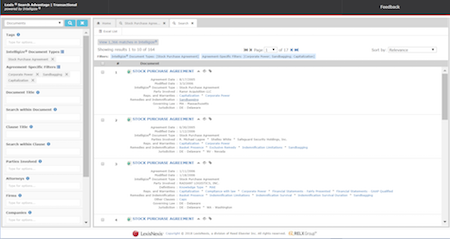
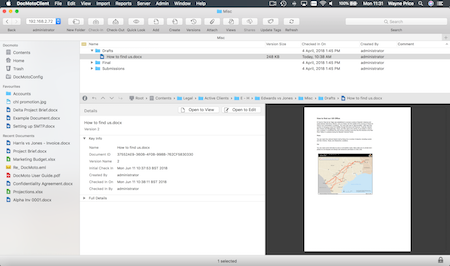
This collection of applications provides a consistent interface and organizational structure for all documents (and email/attachments), often in a simple, file cabinet-like, client/matter format. They allow nearly instantaneous searching of work product — with full-text searching and searches based on "profile information" (i.e. client name, matter title, document type, area of practice, etc.).
But What About Smartphones?
Many smaller firms don't have a document management system — at least not small firms populated by lawyers who didn't come from larger practices that had long relied on such systems. But many small firm lawyers use smartphones — and increasingly they want access to their documents on these devices — a need that may result in a golden age for document management systems.
Let's say you have a shiny new smartphone — a new iPhone 3GS, or a Blackberry, a Treo, or Windows Mobile device. A client calls while you're driving (you of course answer via the Bluetooth connection built into your car), and asks for your opinion on the latest draft of a contract.
You just need quick access to see what your client is seeing. Safety dictates pulling over, but then what? If you have the small-firm friendly Worldox document management system and its Worldox/Web Mobile extension, you can securely access every single case-connected document and email on your office system from your smartphone. You can navigate your client/matter structure and conduct full-text searches, just as if you were in your office.
So you pinpoint the contract, pull it up on your smartphone display, review the question, and if you have a multi-tasking smartphone, call the client back and responsively address their question. If you need to edit, forward it to yourself, then use a tool like Documents to Go to edit the Word file on the fly, and then email it to your client.
That's just one example. Shop around and ask both document management and practice management vendors about their smartphone integration.
Take Advantage of Your Competition and Stand Out …
Clients in this economy are worth their weight in platinum. Giving the impression of responsiveness, leveraged by your investment in technology, is priceless. But don't let your clients take it for granted. Tell them that thanks to your investment in the latest document management and smartphone technologies, you can serve their case handling needs from anywhere, anytime they need your input. Given the number of small firms that don't invest in technology, you'll stand out and recoup your investment.
Written by Ross Kodner of MicroLaw.
How to Receive SmallLaw
Small firm, big dreams. Published first via email newsletter and later here on our blog, SmallLaw provides you with a mix of practical advice that you can use today, and insight about what it will take for small law firms like yours to thrive in the future. The SmallLaw newsletter is free so don't miss the next issue. Please subscribe now.
By Sara Skiff | Friday, May 29, 2009
Coming today to Fat Friday: Douglas Simpson offers advice on phone systems for law firms, Lincoln Miller takes Ross Kodner to task again for his SmallLaw column promoting netbooks, Robert Rice reviews IBM's Omnifind Yahoo! Edition, Tom Trottier discusses fire resistant safes and CDs/DVDs, and Carolyn Elefant responds to Ross' SmallLaw article on BigSolos. Don't miss this issue.
How to Receive Fat Friday
Our most serendipitous offering, Fat Friday consists of unsolicited contributions by TechnoLawyer members. You'll no doubt enjoy it because of its mix of interesting topics and genuinely useful knowledge, including brutally honest product reviews and informative how-tos. The Fat Friday newsletter is free so don't miss the next issue. Please subscribe now.
By Sara Skiff | Thursday, May 28, 2009
Coming today to Answers to Questions: Miriam Jacobson shares her firm's paperless office secrets, Joanne Frasca reviews ESET NOD32 Antivirus 4, Douglas Folk reviews Trend Micro's OfficeScan, Ronald Cappuccio reviews Phoneslips, and Kathleen Hunt reviews Timeslips Remote. Don't miss this issue.
How to Receive Answers to Questions
Do you believe in the wisdom of crowds? In Answers to Questions, TechnoLawyer members answer legal technology and practice management questions submitted by their peers. This newsletter's popularity stems from the relevance of the questions and answers to virtually everyone in the legal profession. The Answers to Questions newsletter is free so don't miss the next issue. Please subscribe now.
By Sara Skiff | Thursday, May 21, 2009
Coming today to Answers to Questions: Bill Baldwin compares Copernic Desktop Search to Windows Search and Google Desktop, Maxine Aaronson reviews MozyPro, and Andrew Feldstein shares some tips for pasting unformatted text in Word.
How to Receive Answers to Questions
Do you believe in the wisdom of crowds? In Answers to Questions, TechnoLawyer members answer legal technology and practice management questions submitted by their peers. This newsletter's popularity stems from the relevance of the questions and answers to virtually everyone in the legal profession. The Answers to Questions newsletter is free so don't miss the next issue. Please subscribe now.
By Sara Skiff | Friday, May 15, 2009
Coming today to Fat Friday: Bob Walsh explains the importance of filing email by case plus he reviews FileCenter and MozyPro, Elaine Dowling describes her backup routine and how it has improved her practice, former large firm lawyer Robert Brouillette offers advice to other "large firm refugees" going out on their own, Edward Zohn reviews Western Digital enterprise-grade hard drives, and Tom Trottier shares his take on the world's first laptop. Don't miss this issue.
How to Receive Fat Friday
Our most serendipitous offering, Fat Friday consists of unsolicited contributions by TechnoLawyer members. You'll no doubt enjoy it because of its mix of interesting topics and genuinely useful knowledge, including brutally honest product reviews and informative how-tos. The Fat Friday newsletter is free so don't miss the next issue. Please subscribe now.
By Sara Skiff | Thursday, May 14, 2009
Coming today to Answers to Questions: Erin Baldwin reviews Stamps.com, Richard Keyt calls for an end to the Word/WordPerfect debate and suggests more productive topics of discussion, Paul Purdue explains discusses Tabs3 for time-billing, Stephen Seldin reviews CrossEyes for revealing formatting code in Word, and Perry Bulwer reviews the Samsung SyncMaster 226BW 22' monitor and WinTV. Don't miss this issue.
How to Receive Answers to Questions
Do you believe in the wisdom of crowds? In Answers to Questions, TechnoLawyer members answer legal technology and practice management questions submitted by their peers. This newsletter's popularity stems from the relevance of the questions and answers to virtually everyone in the legal profession. The Answers to Questions newsletter is free so don't miss the next issue. Please subscribe now.
By Sara Skiff | Thursday, May 7, 2009
Coming today to Answers to Questions: Roger Neils reviews the Philips Digital Pocket Memo 9500 with SpeechExec Pro Dictate, Paul Purdue reviews Carbonite for online backup, Frank Lanigan reviews PDF Converter Pro and Nuance's customer support, Elizabeth Travis explains how to create a macro in Word 2003, and Michael Schwartz offers a money-saving Time Matters tip. Don't miss this issue.
How to Receive Answers to Questions
Do you believe in the wisdom of crowds? In Answers to Questions, TechnoLawyer members answer legal technology and practice management questions submitted by their peers. This newsletter's popularity stems from the relevance of the questions and answers to virtually everyone in the legal profession. The Answers to Questions newsletter is free so don't miss the next issue. Please subscribe now.
By Ross Kodner | Monday, May 4, 2009
Originally published on April 27, 2009 in our free SmallLaw newsletter.
In my last column, I introduced the idea of the MDTR — the "Minimum Daily Technology Requirements" for every solo and small firm's technology needs. My first column discussed hardware needs. This column focuses on the application and utility software a small practice needs.
MDTR: Major Applications
Beyond the choice of either or both Microsoft Office 2007 and the Corel WordPerfect X4 suite (both if you wish to be "word processing ambidextrous" which can make a great deal of sense for many firms), the following categories of applications comprise the Minimum Daily Technology Requirements for the standalone PC:
Adobe Acrobat Standard or Pro: Not some ersatz Acrobat-wannabe, the real thing — get it bundled with your PC, or with a scanner to save money on this item.
Practice Management System: Any practice management system is better than none. After 24 years of thinking about this, I am now ready to unequivocally state that every law practice needs one (even if you don't realize it!).
If you have clients and cases, you have information that needs to be managed, period. Outlook is just not capable enough so look into Amicus Attorney, PCLaw, PracticeMaster, Time Matters, or even the Web-based Clio, Rocket Matter or VLO systems. Find a well-referenced, solidly-credentialed independent consultant to help you decide and then implement.
(My only remaining concerns about Web-based, or SaaS (Software as a Service) systems is the general lack of ability to function entirely offline, if you lose Internet connectivity. Clio has taken the first step in this direction with offline time entry, but this isn't enough as far as I'm concerned.)
Document/Email Management: Practicing without a DMS means self-inflicted torture in terms of wasted otherwise billable time when you cannot find prior work product or are inundated with massive amounts of email. Worldox leads the pack after 20+ years in cost-effective ($395/person) small-firm friendly document/email management that tightly integrates with the major practice management systems (which might have some built-in document/email management abilities, but these are insufficient for most firms).
Legal Billing/Bookkeeping: Ideally, your billing system should work with your practice management system — with the PracticeMaster/Tabs3 combination being the standout because Tabs3 as the billing component outdistances the abilities of competitive systems and their built-in billing modules. Kudos to the Web-based products for solid and simple billing/bookkeeping as well. Second best would be the PCLaw system, which is more simplistic on the practice management side, but still a reasonably-priced integrated contender. Systems that integrate with QuickBooks Pro can be a major plus if your accountant wants QuickBooks data files to keep your accounting costs down.
Outlook 2007: This industry-standard application should be your emailer of choice, integrated with a practice management system. Attempting to handle your email needs inside of any practice management system will quickly overwhelm that program's database. Let Outlook do the heavy-lifting for email management and "connect" case/practice-related emails from Outlook to your practice manager via Worldox's extraordinary, click, drag, click approach to doing so.
MDTR: Utilities
Utilities — little programs that tie everything together:
Protection Suites: Trend Micro Internet Security suite (or the Pro version). Why? It's the least likely to interfere with legitimate program operation. Avoid Symantec/Norton and McAfee products — by far the most intrusive and system-destabilizing of such products. Your software firewall will come from this suite, or firewalling will come from a router/switch/firewall hardware product (watch for my "MDTR: Networks" suggestions in a future column).
Moffsoft Freecalc: This free calculator replaces the brain-dead Windows calculator. It has a scrollable "tape" — the missing link.
7Zip: This free utility handles ZIP/UnZIP file needs.
Zscreen: Need to capture information from screens to include in your Word and PowerPoint files? Grabbing charts and illustrations from Web sites? Windows Ctrl-Prtscn function has an IQ in the high single digits, able to capture only an entire screen. Zscreen, also free, has many of the advanced features of more costly screen capture tools such as Techsmith's excellent $50 SnagIt tool.
Metadata Assistant and Numbering Assistant: At $160 for the pair, both are essential "Word Sanity/Safety" tools for metadata removal and sanity in using auto-paragraph/bullet list/outlining functions in Word.
CrossEyes: From Levit & James, this utility adds "Reveal Codes" functionality to Word ($30).
Anagram for Outlook: This $35 utility adds names and addresses in your email to Outlook (which can then sync to your practice management system) literally with two keystrokes. Build up that address book for marketing/business development purposes as well as pulling this information into labels, envelopes, and correspondence.
Xobni: This utility adds several functions to Outlook that Microsoft should have built. These include the ability to group all the messages in a conversation together, instead of having to hope to find them while scattered across multiple mailboxes, and the Inbox and Sent Items folders. In addition, you can see all the attachments received from any sender. Add some fascinating statistical tracking about the people who send you messages and the ability to generate "smart scheduling" messages to send to any sender, and you've got the makings of an invaluable Outlook tool. And free is tough to argue with.
TweetDeck: This free Twitter-focused utility makes participating in the growing social networking phenomenon practical. It replaces the bare-bones native Twitter interface with a multi-columned Twittering tool that makes the micro-blogging system's constant flow of 140 character "Tweets" manageable. You can have columns showing the Tweets of all those you "follow", as well as Replies, Direct Messages and the most powerful element, Tweets that match a specific Twitter "search." So you could have a column showing all Tweets that mention your name or firm name. Don't Twitter without Tweetdeck.
OutTwit and FBLook: From TechHit, OutTwit adds itself to the Outlook toolbar to enable sending Tweets and receiving/organizing them inside of Outlook. This is a further step towards making Outlook a comprehensive communications hub. FBLook lets you update your Facebook status, see your friend statuses, and see the number of new requests without having to open a browser. Both products are free.
In my next column, I'll wrap up my MDTR recommendations with a look at electrical protection, smartphones, virtualization of a small practice's resources, outsourcing, and using consultants effectively.
Written by Ross Kodner of MicroLaw.
How to Receive SmallLaw
Small firm, big dreams. Published first via email newsletter and later here on our blog, SmallLaw provides you with a mix of practical advice that you can use today, and insight about what it will take for small law firms like yours to thrive in the future. The SmallLaw newsletter is free so don't miss the next issue. Please subscribe now.
By Sara Skiff | Thursday, April 23, 2009
Coming today to Answers to Questions: Richard Perkins explains how to wipe a laptop in a way that makes it easy to do again, Paul Wigg-Maxwell shares a Word Styles tip for an OCR documents plus he reviews PaperPort, Michael Steiner clarifies his recent Post on Autonomy/Interwoven, Thomas RuBane reviews CoreVault for online backup, and Jeffrey Koncius reviews Stamps.com for online postage. Don't miss this issue.
How to Receive Answers to Questions
Do you believe in the wisdom of crowds? In Answers to Questions, TechnoLawyer members answer legal technology and practice management questions submitted by their peers. This newsletter's popularity stems from the relevance of the questions and answers to virtually everyone in the legal profession. The Answers to Questions newsletter is free so don't miss the next issue. Please subscribe now.
By Sara Skiff | Thursday, April 9, 2009
Coming today to Answers to Questions: Michael Steiner reviews Interwoven's document and email management software, Philip Franckel reviews Dragon NaturallySpeaking and explains why some lawyers may prefer the Medical edition over the Legal edition, Sharon Campbell provides detailed instructions for customizing macros in Word using Visual Basic, Edward Still reviews Carbonite for online backup, and Kristi Bodin reviews Sharpdesk OCR software for converting scanned documents into Word/WordPerfect. Don't miss this issue.
How to Receive Answers to Questions
Do you believe in the wisdom of crowds? In Answers to Questions, TechnoLawyer members answer legal technology and practice management questions submitted by their peers. This newsletter's popularity stems from the relevance of the questions and answers to virtually everyone in the legal profession. The Answers to Questions newsletter is free so don't miss the next issue. Please subscribe now.